Digital Inspections, Asset Register & Compliance Software

Track, Monitor, and Protect Everything That Matters

EZICHEQ is a software that helps high-risk industries manage inspections, equipment, jobsites and worker competency in one easy platform. Replace paperwork and spreadsheets with live data, insights, reports, and alerts for greater operational visibility.
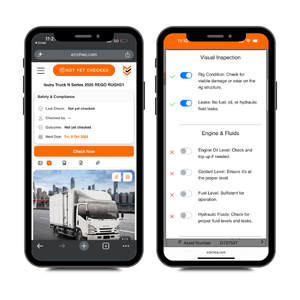
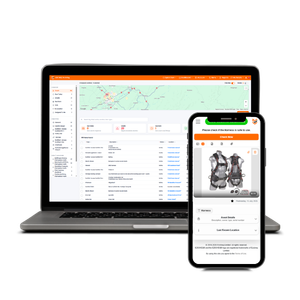
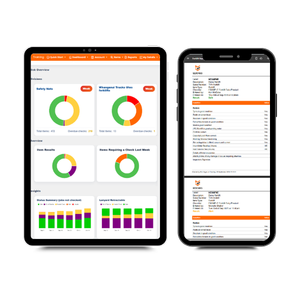
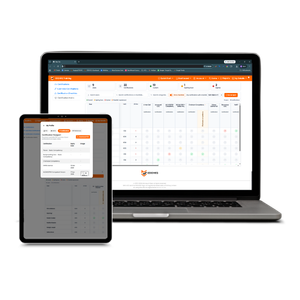
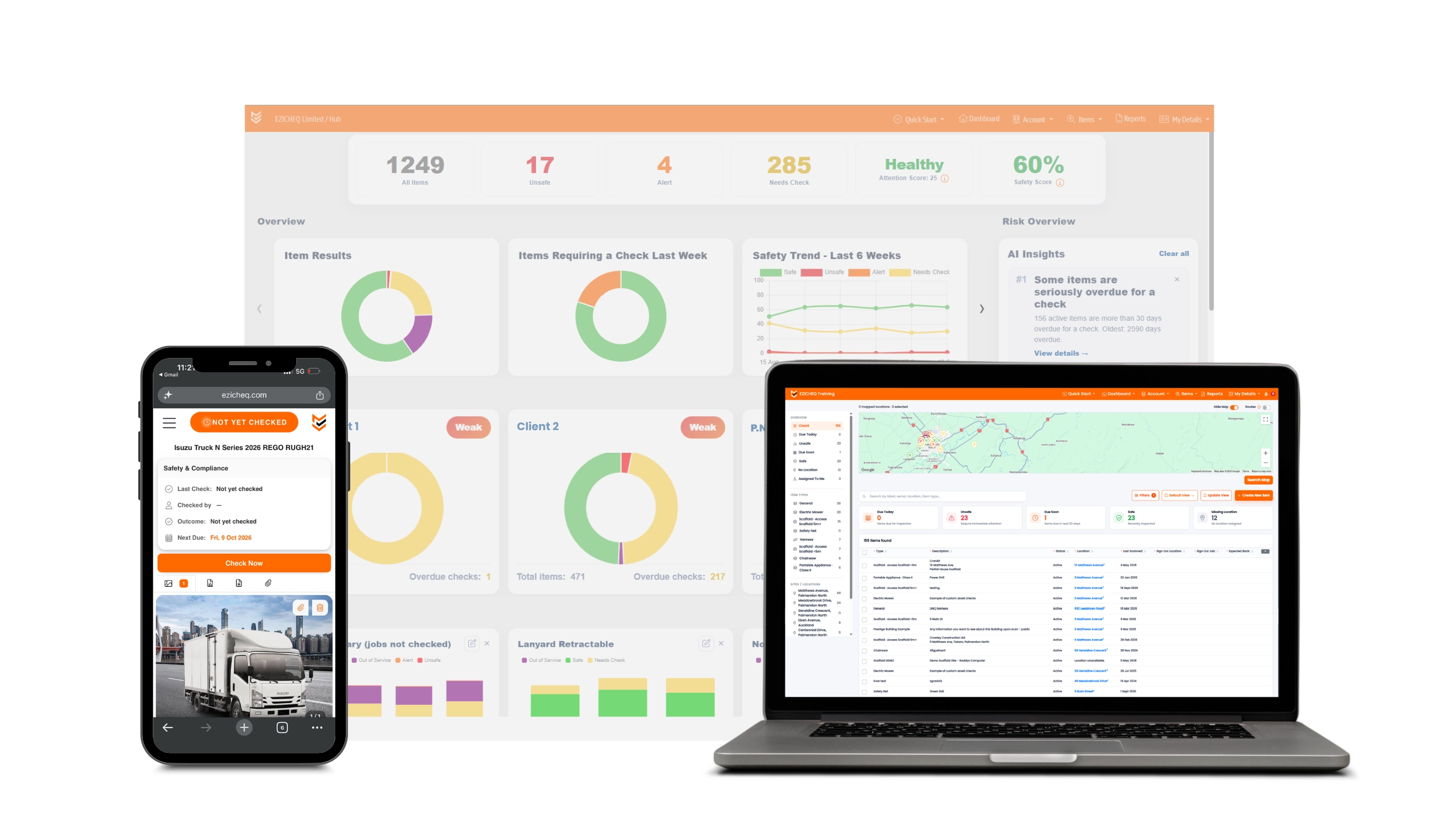
EZICHEQ platform on smart devices. Asset Register on the laptop, insights on the iPad and digital inspections on a smart phone.

Trusted by 100+ Customers
Across New Zealand & Australia

Downer company logo with tagline 'Relationships creating success'.
Cunningham Construction Ltd logo with stylized 'C' icon in blue and white.
Specialised Access & Scaffolding company logo featuring stylized 'S' design.
Logo for The Downs Group, electrical and mechanical contractors with initials TDG and a swoosh design

Let's Get You Started.
Start Your 14 Day Free Trial.

Our Customers

From Construction to Engineering and Building Compliance, EZICHEQ is built to support high risk industries.
"EZICHEQ is a great tool for us. We manage multiple structures across major construction sites. The platform gives us complete visibility, but also extends this to our clients for greater transparency. "
Jonny Benbow
Nayland Scaffolding
Director
"I like how everything is live! From the computer, the admin can make tweaks on a self-check, as well as for the technician who is on-site, the changes are instant. It is so easy to set up and use, and I love that it’s all tailored to how we need it to be."
Katie Zimmerman
Hawkeye Building Compliance
Director
"Excellent for asset and inventory management, team is also great to deal with. We manage thousands of items through this system giving us greater oversight."
Jack Leask
Downer NZ
Supervisor

Greater Oversight
Live Data, Insights & Alerts

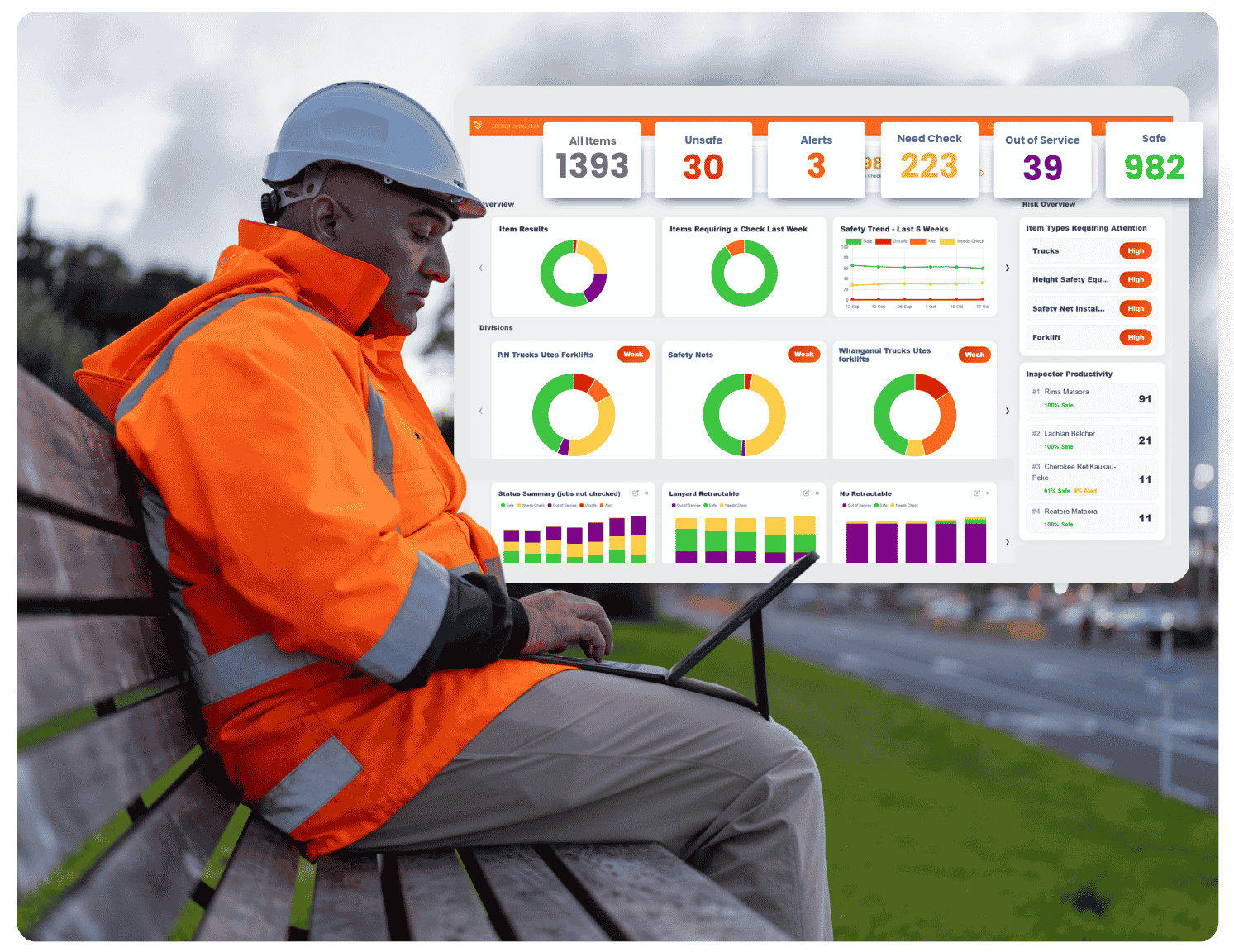
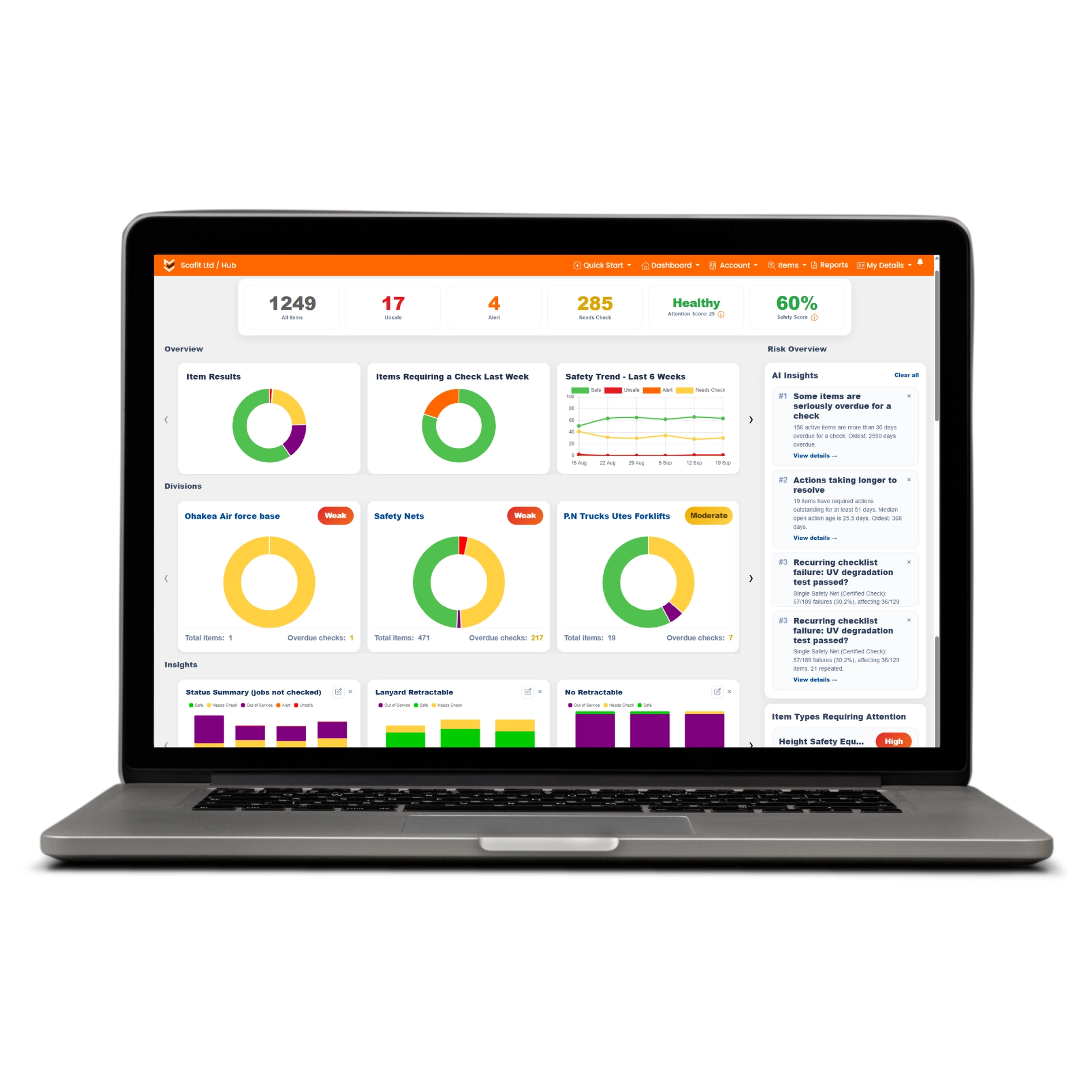
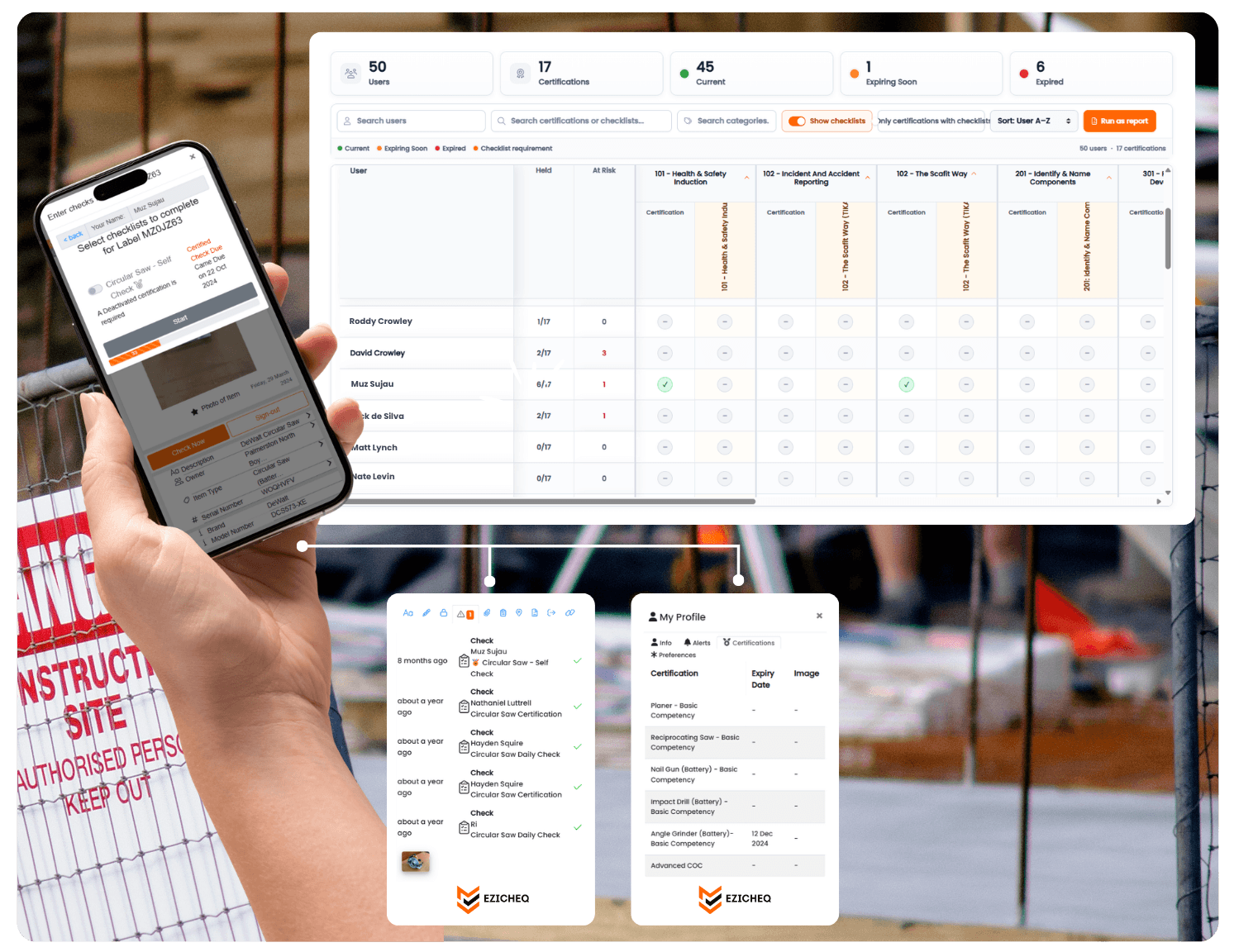
EZICHEQ gives you complete visibility over your operations. See the status of every item, quickly spot what’s safe, what’s nearly due, and what needs urgent attention so nothing slips through the cracks.
Insights and alerts keeps your team informed and your compliance on track.
Get visibility and oversight from anywhere and anytime. Simply log into to EZICHEQ to view real time data from all your items that are being managed.

Asset Management
Build A Register

Track and monitor all company assets in one central location. Whether it is critical equipment, vehicles, machinary, job sites and safety gear. EZICHEQ is an affordable solution for asset management.
Live Asset Register
See what the company owns, where it is and its current status. Keep item details, documents, inspection history and records together without relying on disconnected spreadsheets.
Asset Status & Location
EZICHEQ gives you a clear view of every asset’s status and last known location, making it easier to track and monitor items.
History & Movements
Sign assets in and out to track who has them, where they are and when they are due back. Improve user accountability, reduce lost equipment and keep asset records accurate.
Lost, Stolen & Decomissioned Items
Retain a complete history for items that are lost, stolen or decommissioned, so important records are never removed or forgotten. Ideal for insurance and recovery.
Laptop screen displaying an asset register table with item details, statuses, locations, and dates.

Streamline Daily
Inspections

EZICHEQ makes daily safety checks and auditing simple and consistent. Build custom checklists, automatically save every record and generate reports from completed inspections.
Checklist Builder
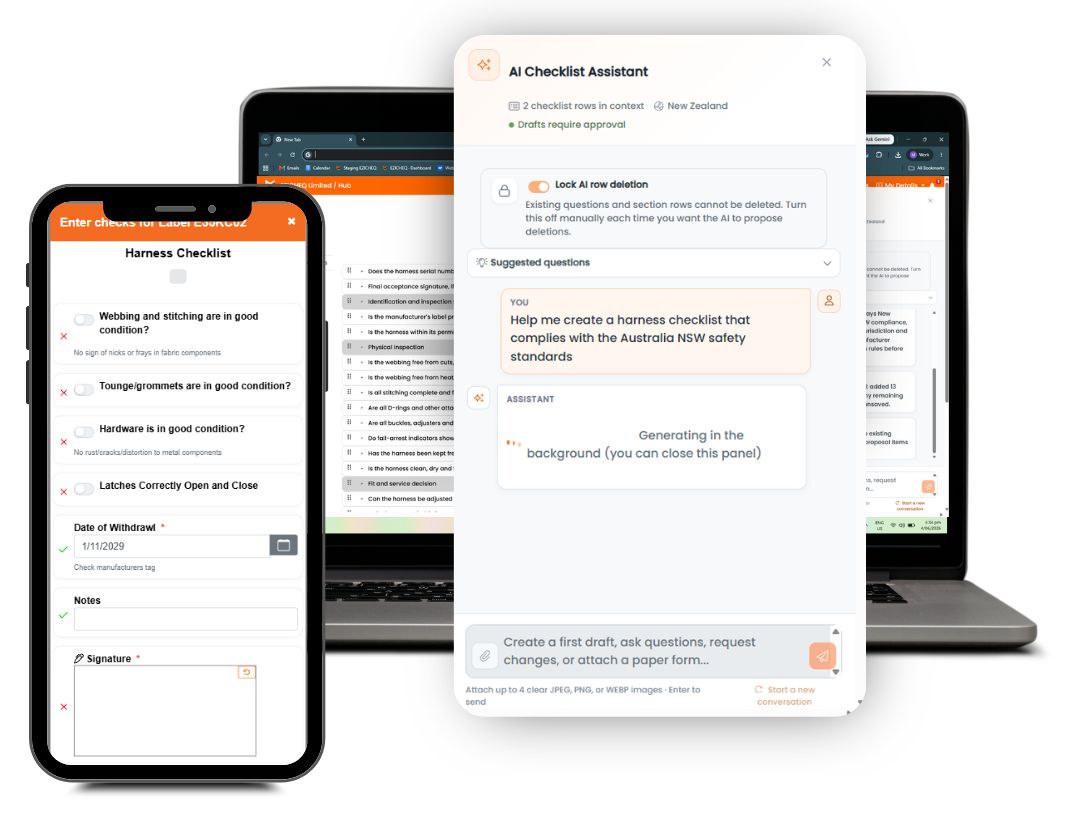
Build a checklist for any workflow or item, add conditional logic, photos, signatures, and instantly capture all the details and data you need.
Assign Checklists To Items
Make sure every piece of equipment, tool, or job site has the required checklists and workflows, capturing essential records for safety, compliance, and operations.
Accurate Records
Every completed inspection is automatically saved with the date, time and GPS location, creating a clear audit trail that helps prevent records from being altered or falsified.
Automated Reporting
Instantly generate professional PDF reports with business logo. Choose what to include: item status, locations, full checklist details and more in just a few clicks.
Create custom checklists for your items with EZICHEQ and manage it how you want.

See the Full Picture
Insights & Alerts

Visual insights make it easy to spot trends, identify safety gaps, and make faster more informed decisions around what needs attention.
Spot Trends
Use EZICHEQ insights to identify patterns, spot recurring issues, and act early to prevent accidents.
Alerts & Reminders
Alerts highlight overdue checks, failed inspections and emerging risks, helping you act before issues are missed.
User Safety Performance
Track performance by users to drive better safety standards and accountability.
EZICHEQ Insights on an Ipad view

Dedicated
Customer Support

Get the support you need, when you need it. Our team is available by phone, chat, and email to help you stay on track and get the most out of EZICHEQ.
Dedicated Support
We’re here to support you every step of the way, with real help from our team when you need it.
Live Chat & Phone Support
Get fast, direct support via live chat or phone, so you can resolve issues quickly and keep things moving.
Custom Development
We listen to your feedback and continuously improve UX and features to support how your business operates.
Woman with long dark hair smiling and talking on phone next to checklist on laptop screen.

Save up to 90 Minutes* of admin a day with EZICHEQ

Clipboard with checklist and pencil icon symbolizing compliance or tasks.

Frequently Asked Questions

Commonly asked questions to help you understand EZICHEQ.

Is EZICHEQ an app?

EZICHEQ is a web-based platform, so you don’t need to install an app to access your data. View item information, checklists, and audit trails from any device with a browser making it simple, flexible, and always accessible.

Icon - Elements Webflow Library - BRIX Templates

How does EZICHEQ streamline inspections

EZICHEQ replaces paper systems with a fully digital solution, cutting out time consuming tasks like taking photos, filing records, and writing reports back at the office. Everything is stored securely online, letting you generate reports instantly and share them with clients or stakeholders. By streamlining inspections, EZICHEQ reduces admin, prevents errors, and frees your team to focus on more important work.

Icon - Elements Webflow Library - BRIX Templates

How long does it take to onboard?

Most businesses complete onboarding in just 2-3 days. The longest part is uploading assets and creating custom checklists, but EZICHEQ makes this easier with industry recommended templates you can edit in the template library. Already have an asset register? We can bulk upload files to save you time (additional charges may apply).

Icon - Elements Webflow Library - BRIX Templates

Will my team find it difficult to use?

Not at all! EZICHEQ is designed to be simple and intuitive. Most people are familiar with scanning QR codes, so getting started is easy. We provide full training to ensure your team feels confident, plus ongoing support to help with any questions along the way.

Icon - Elements Webflow Library - BRIX Templates

How secure is my data?

The data you save is 100% yours, and keeping it secure is our priority. EZICHEQ uses encrypted servers to ensure only authorised users can access your information. We follow industry-standard security protocols, including regular backups and updates, to protect your data and prevent unauthorised access.

Icon - Elements Webflow Library - BRIX Templates

Can I get a free trial?

Yes! We offer a 14-day free trial and a free demo to show you how EZICHEQ works. To get started, click 'Get Started' to begin your trial. You’ll be guided to set up your company account and choose a payment plan. Once signed up, we’ll send you a free sample pack of smart labels to try out. We encourage you to explore the platform. Start by creating an item type, then assign a checklist—either make your own or use one from our template library.

Icon - Elements Webflow Library - BRIX Templates

How does smart lables work?

EZICHEQ uses unique QR-coded labels or NFC tags to manage items. Each label is tied to a specific item, with the option to assign new asset numbers or carry over existing ones. To onboard an item, simply scan the smart label with your device and follow the setup steps. Once complete, the item is instantly accessible on the platform. Order smart labels from the EZICHEQ shop, or get in touch for custom-branded options!

Icon - Elements Webflow Library - BRIX Templates